
Which Is Better a 32-Inch Monitor or a 32-Inch TV?
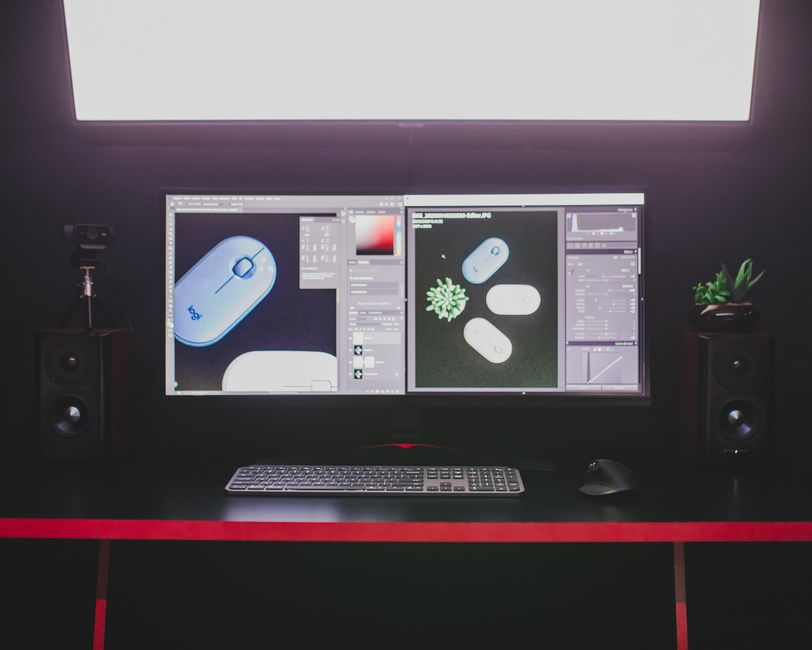
Which is better a 32-inch monitor or a 32-inch TV depends on the work and distance: a monitor usually suits close-up text, office work, and competitive gaming, while a TV can suit video viewing if it supports PC mode, clear 4:4:4 text, and the needed refresh rate. At a desk, resolution matters as much as size: 1080p is about 69 PPI at 32 inches, compared with 92 PPI at 1440p and 138 PPI at 4K.
Can I use a 32-inch TV as my computer monitor every day?
Yes, a 32-inch TV can handle everyday computing when its picture settings and resolution suit close viewing. The diagonal tells you how large the screen is, not how finely it can draw letters and interface details.
For browsing, documents, and spreadsheets, check that the TV has a PC mode and supports 4:4:4 chroma. DisplayNinja identifies these as practical checks for PC use; without suitable chroma handling, small text can look less distinct. The same guide recommends PC or Game Mode to bypass image processing that can add input lag.
Placement matters too. A 32-inch display can occupy much of a desk-level field of view, so leave enough room to sit back and see the whole screen without repeatedly turning your head. Intel says monitor users often sit within 20–24 inches, making resolution and pixel density especially noticeable. ISO 9241-303:2011 frames comfortable display viewing around conditions and individual eyesight, rather than one distance that fits everyone.
A monitor is the simpler fit for long stretches of close text work. A TV earns its place when video viewing and its remote-control or smart-TV features matter alongside desktop use. The sources do not compare specific smart-TV features or bundled remotes, so check those on the model listing.
Will text look as sharp on a 32-inch TV as on a monitor?
Text sharpness depends chiefly on resolution, pixel density, and viewing distance—not the label on the bezel. A 32-inch 1080p screen spreads the same pixel count across a large area, so fine text appears coarser at a desk than it does on a higher-resolution screen of the same size.
Intel’s guide gives approximate densities of 69 PPI for 1920×1080, 92 PPI for 2560×1440, and 138 PPI for 3840×2160 at 32 inches. At close range, that makes 1440p a useful middle ground: it packs more detail than 1080p without requiring the system to draw as many pixels as 4K. For small interface elements and fine text, 4K has the highest pixel density in these examples.
Scaling changes how that resolution feels. Higher resolution can make text and desktop details sharper, while scaling enlarges interface elements for easier reading. Choose a setting that keeps text legible from your actual seat; the ideal balance depends on eyesight and distance, as the ISO display guidance recognizes.
A TV and monitor with the same resolution and size have the same basic pixel density. TV processing and chroma handling can still affect how desktop text appears, which is why PC mode and 4:4:4 belong on the pre-purchase checklist.
Is a 32-inch monitor or TV better for PC gaming?
A monitor is the more straightforward choice for competitive PC gaming, but the better display is the one that delivers the refresh rate, response, and measured input lag your setup needs. A TV can also suit gaming when it offers a usable Game Mode and supports the required signal.
Refresh rate describes how often a display can update its image. Intel notes that 120Hz or 144Hz can make motion smoother, but the PC benefits only when it can render enough frames per second at the chosen resolution. A higher refresh-rate label alone does not guarantee smoother play if the computer cannot supply those frames.
Do not treat input lag and pixel response time as the same measure. Intel describes input lag as the delay before an action appears onscreen; response time concerns how quickly pixels change. Game Mode can reduce lag caused by processing, while DisplayNinja advises checking native refresh rate and variable refresh-rate support rather than relying on motion interpolation claims.
For a fair comparison, check measurements at the resolution and refresh rate you intend to use. RTINGS’ TV input-lag tests compare latency under different signal modes and settings. Its monitor input-lag tests offer the corresponding results for monitors. A result from one mode should not stand in for every other mode.
What resolution should I choose for a 32-inch screen at desk distance?
For close desk use, choose 1440p or 4K if clear fine text is a priority; 1080p trades pixel density for a lower-resolution image. Intel’s figures make the difference plain: at 32 inches, the three common resolutions in its guide yield about 69, 92, and 138 PPI, respectively.
For office work and web browsing, 1440p is a practical balance when the computer and budget suit it. Move to 4K when dense detail matters and the computer can drive the display comfortably. If the screen will mostly show video from farther away, the fine-pixel advantage matters less than it does at a close desk distance.
Before buying a TV for desktop use, check four things: a PC mode, support for 4:4:4 chroma, the HDMI refresh-rate support at your chosen resolution, and a Game Mode. These checks address common differences between viewing a movie and displaying small desktop text or responding to a game.
Use this comparison as a buying filter, not a claim that every model in a category behaves alike. The source material does not provide product prices or model-by-model costs, so compare current listings for the actual options you are considering.
| Option | Who it suits | Cost | Key limitation |
|---|---|---|---|
| 32-inch 1080p monitor | Gaming or general use where a lower resolution fits the setup | not published | About 69 PPI; fine desktop text can look coarse at close range |
| 32-inch 1440p monitor | Close-up office work, browsing, and gaming where 92 PPI suits the viewer | not published | PC must render enough frames to benefit from higher refresh rates |
| 32-inch 4K monitor | Close viewing where fine text and desktop detail are priorities | not published | About 138 PPI; check scaling and PC performance for the intended use |
| 32-inch TV with PC and Game modes | Mixed desktop use and video viewing, if chroma and HDMI support fit | not published | Model-specific processing, lag, and refresh-rate performance need checking |
Frequently Asked Questions
Does a TV have more input lag than a monitor?
Not by category alone. RTINGS tests both TVs and monitors, and its results depend on the signal mode and settings. Compare measurements at your intended resolution and refresh rate, with Game Mode enabled where available.
How far away should I sit from a 32-inch TV used as a monitor?
There is no single distance that suits every viewer and setup. Intel says monitor users often sit within 20–24 inches, where pixel density is easier to notice; ISO 9241-303 says comfortable viewing recommendations depend on viewing conditions and eyesight.
Can a 32-inch TV handle keyboard-and-mouse work comfortably?
It can, if its PC mode and 4:4:4 chroma preserve clear text and its resolution suits the viewing distance. Check those settings before buying, then place the screen so you can read it without leaning toward it.
Sources
You may also like
Can I Use a 65-Inch TV as a Monitor?
Yes, a 65-inch TV can work as a PC monitor if the distance, text settings, and gaming features suit your setup.
How Do I Buy and Activate a Used Phone on My Carrier or MVNO?
A practical used-phone checklist for checking IMEI status, carrier compatibility, unlock status, eSIM readiness, and safe activation.
Does Baking Soda Remove Dark Spots?
Baking soda has not been shown to fade dark spots, and irritation may worsen discoloration; sunscreen and gentle, suitable treatments are safer.
How to Remove Dark Spots on Face Fast
Fade facial dark spots with daily tinted SPF 30+, gentle care, and one brightening active; expect months, not overnight results.